





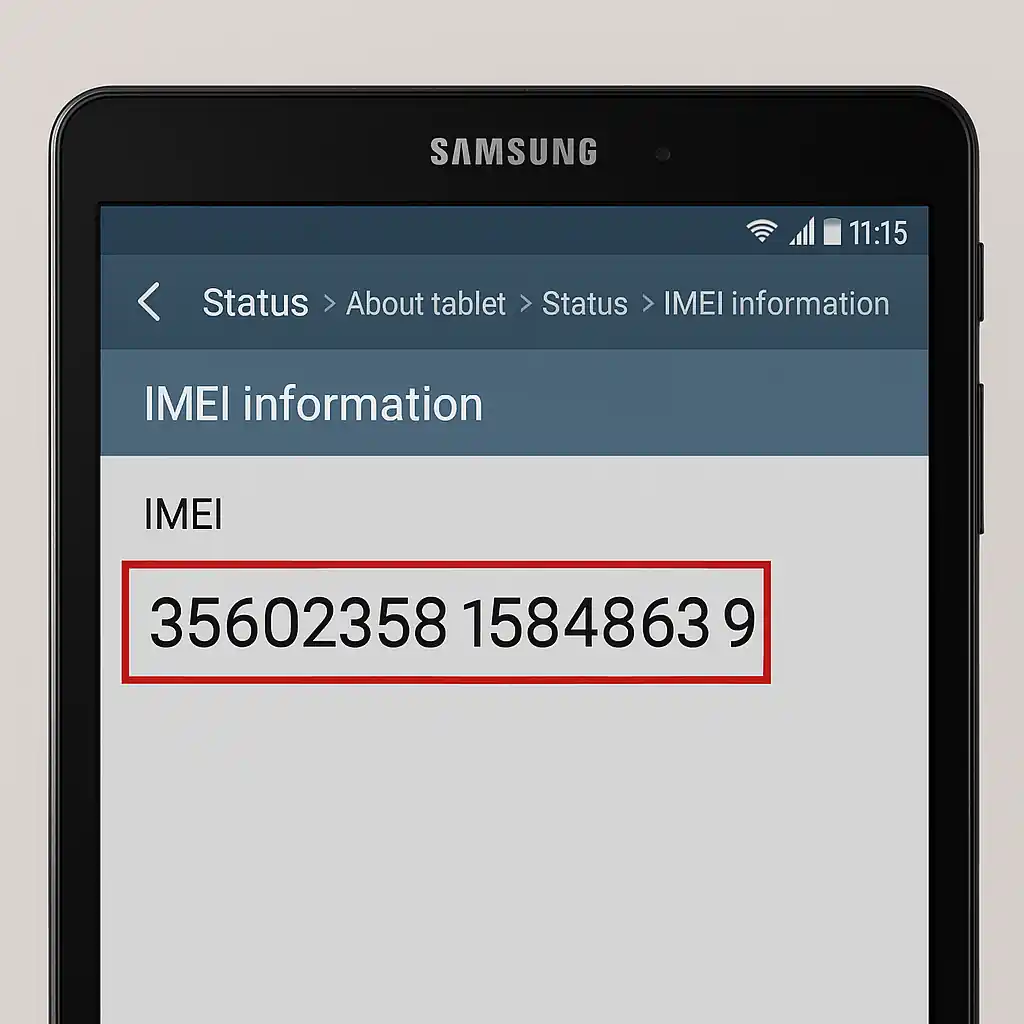
How to Find the IMEI Code on a Samsung Tablet – 2025 Guide
Every IMEI code Samsung tablet is essential for security, warranty claims, and device identification. This article walks you through each method to locate the number safely and confirms how to check it online.
Why the IMEI code on a Samsung tablet matters
Think of the IMEI as your tablet’s digital fingerprint. When it connects to a carrier’s network, that 15-digit number lets the provider confirm the exact device you’re using. It also powers:
- Lost & stolen reporting – carriers lock the device.
- Warranty verification – only devices with a valid IMEI qualify.
- Device resale – buyers can verify authenticity before purchasing.
Interested in new flagship releases? Don’t miss our coverage of the Samsung Galaxy S26 Ultra review and release date to see how Samsung continues to evolve its lineup.
Step-by-Step to read the IMEI code Samsung tablet
- Settings menu: Open
Settings→About tablet→Status→IMEI information. The 15-digit number is displayed – copy or write it down. - Box or packaging: If you still have the original box, look near the barcode or the back label – the IMEI is usually printed there.
- SIM tray or back panel: For tablets that support a SIM, the IMEI may be engraved on the tray or etched on the back. Open the tray gently or unscrew the back cover.
- Samsung Find My Mobile: Visit findmymobile.samsung.com, sign in, and view your tablet’s IMEI from the device list.
- Optional dial code: On some models, typing
*#06#into the dialer pops up the IMEI.
Store the IMEI in a secure place: a password-protected note, encrypted storage, or a printed copy in a locked drawer.
When you need to know the IMEI code on your Samsung tablet
- Lost or stolen – report the number to your carrier.
- Warranty repair – service centers ask for the IMEI.
- Selling or gifting – let the buyer validate the device online.
- Unlocking or carrier switch – many unlock services require the IMEI.
Apple fans can also explore what’s next by reading our iPhone 17 Pro Max price in USA guide to compare Apple and Samsung’s latest innovations.
Verify the IMEI code online – how to confirm authenticity
Once you’ve located the number, use trustworthy sites to check:
- Samsung Find-My-Mobile – official source that lists model, release date, warranty, and blacklist status.
- Third-party verifiers like imei.info or swipe.com – quick cross-checks for stolen or blocked devices.
Enter the 15-digit code, hit Check, and you’ll see the device’s profile and any alerts. Want to stay ahead of upcoming technology? Check out Apple’s foldable iPhone 2026 update for future insights.
Frequently Asked Questions
- What is the IMEI code on a Samsung tablet?
- The IMEI is a 15-digit unique number used by carriers and manufacturers to identify each tablet that has cellular capability.
- Can I find an IMEI on a Wi-Fi-only tablet?
- No. Wi-Fi-only devices don’t have IMEI numbers; instead, they include a serial number used for warranty and service verification.
- Can I use my IMEI to track a lost Samsung tablet?
- Yes, your IMEI can help locate or block a missing tablet when reported to your carrier or through Samsung’s Find My Mobile service.
- Is it safe to share my IMEI code online?
- It’s best not to share your IMEI publicly. Only give it to trusted service centers or official Samsung representatives when required.
- What should I do if my IMEI is blacklisted?
- If your IMEI appears on a blacklist, contact your carrier or Samsung support to verify the cause. Sometimes it can be removed after proof of ownership.
About The Author